
Writing Articles with Hexo + Typora
Complete Guide to Writing Articles Locally with Hexo + Typora
🚀 Typora Download & Configuration
Download and Installation
First, download Typora from the official website: https://typoraio.cn/
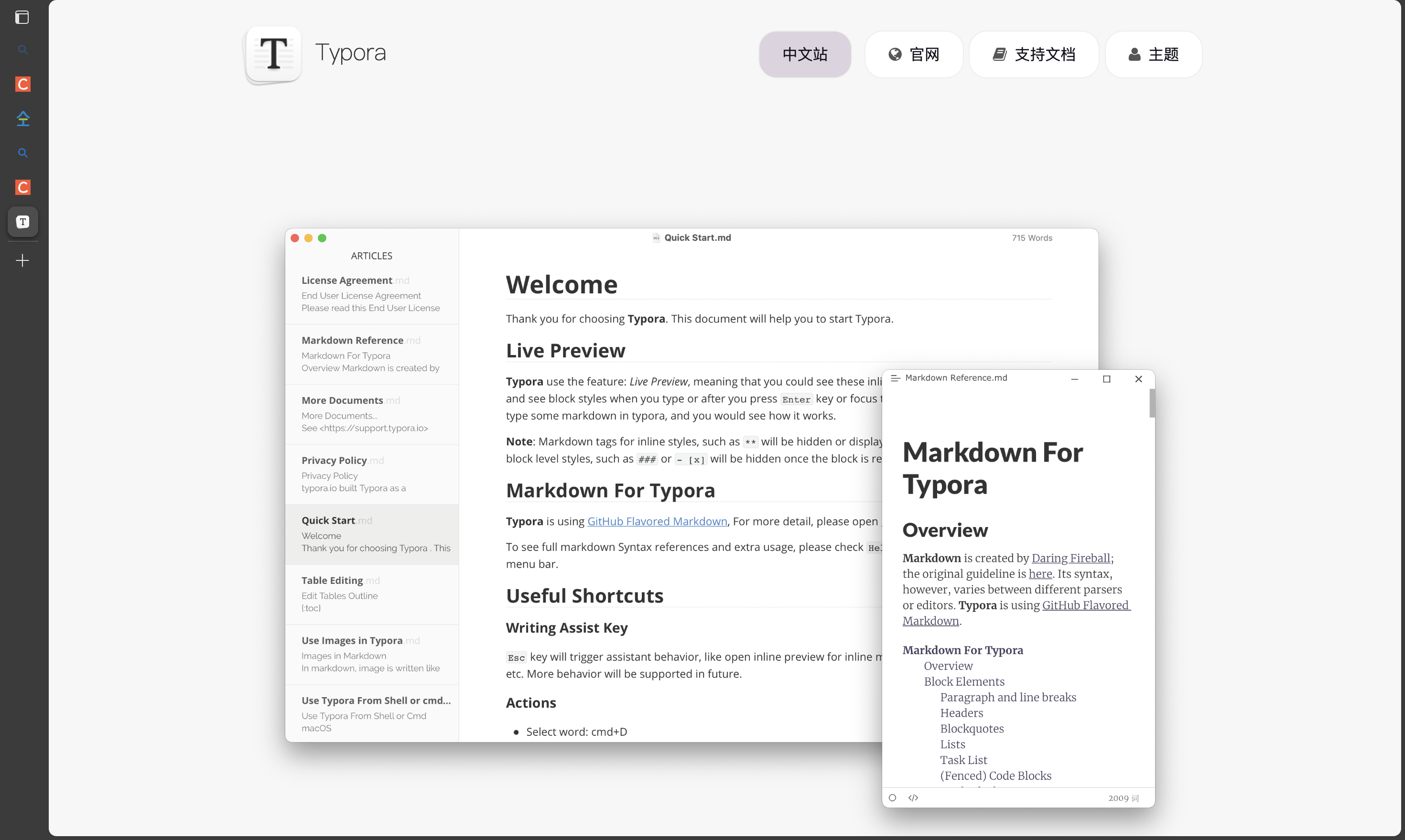
Typora is an excellent Markdown editor with the following features:
- 🎨 WYSIWYG editing experience
- 📝 Real-time preview support
- 🖼️ Powerful image processing functionality
- 🎯 Clean and elegant interface design
Theme Configuration
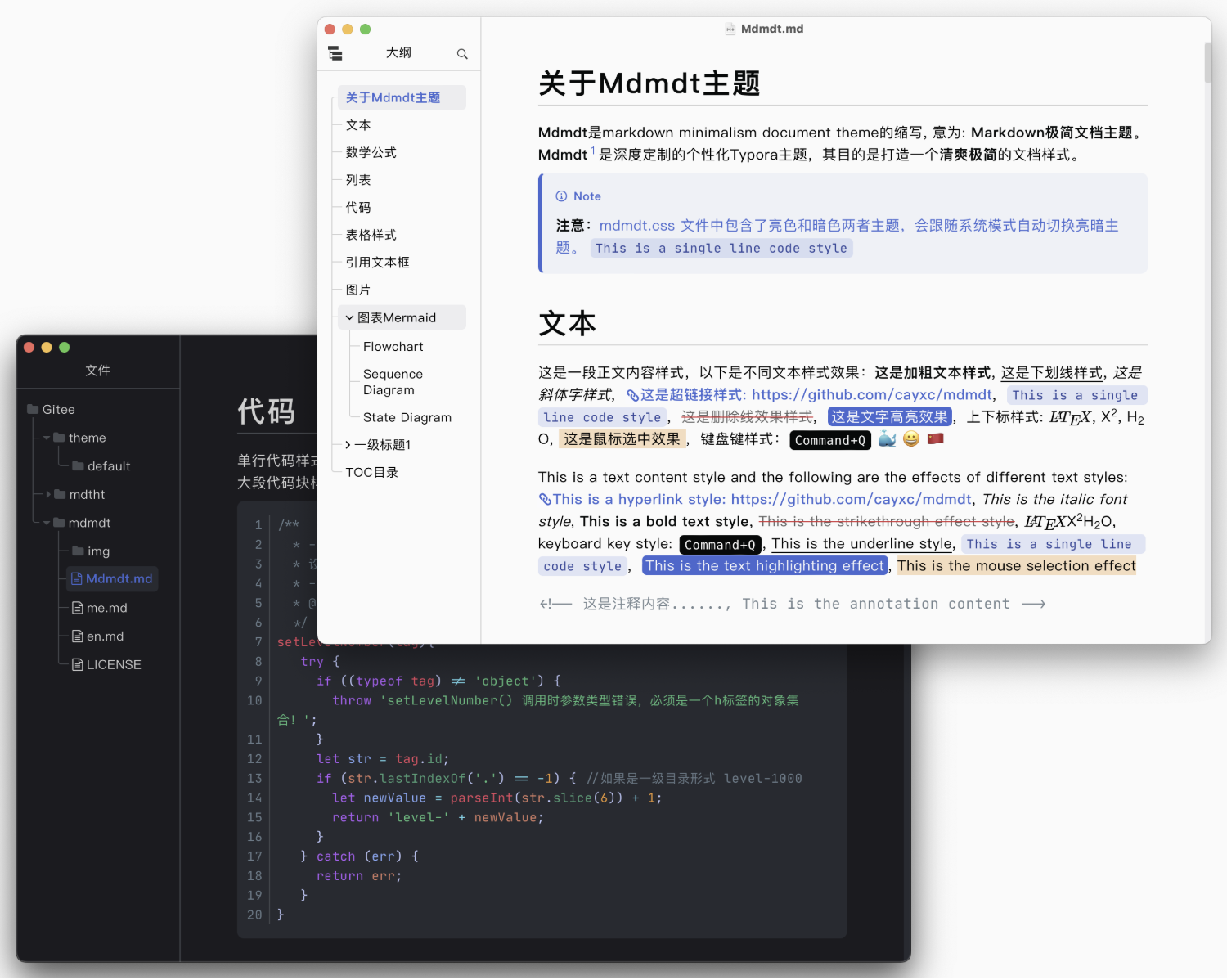
Choose your favorite theme from the Theme Gallery in the top-right corner of the official website. I recommend using the Mdmdt theme, with the following effect:
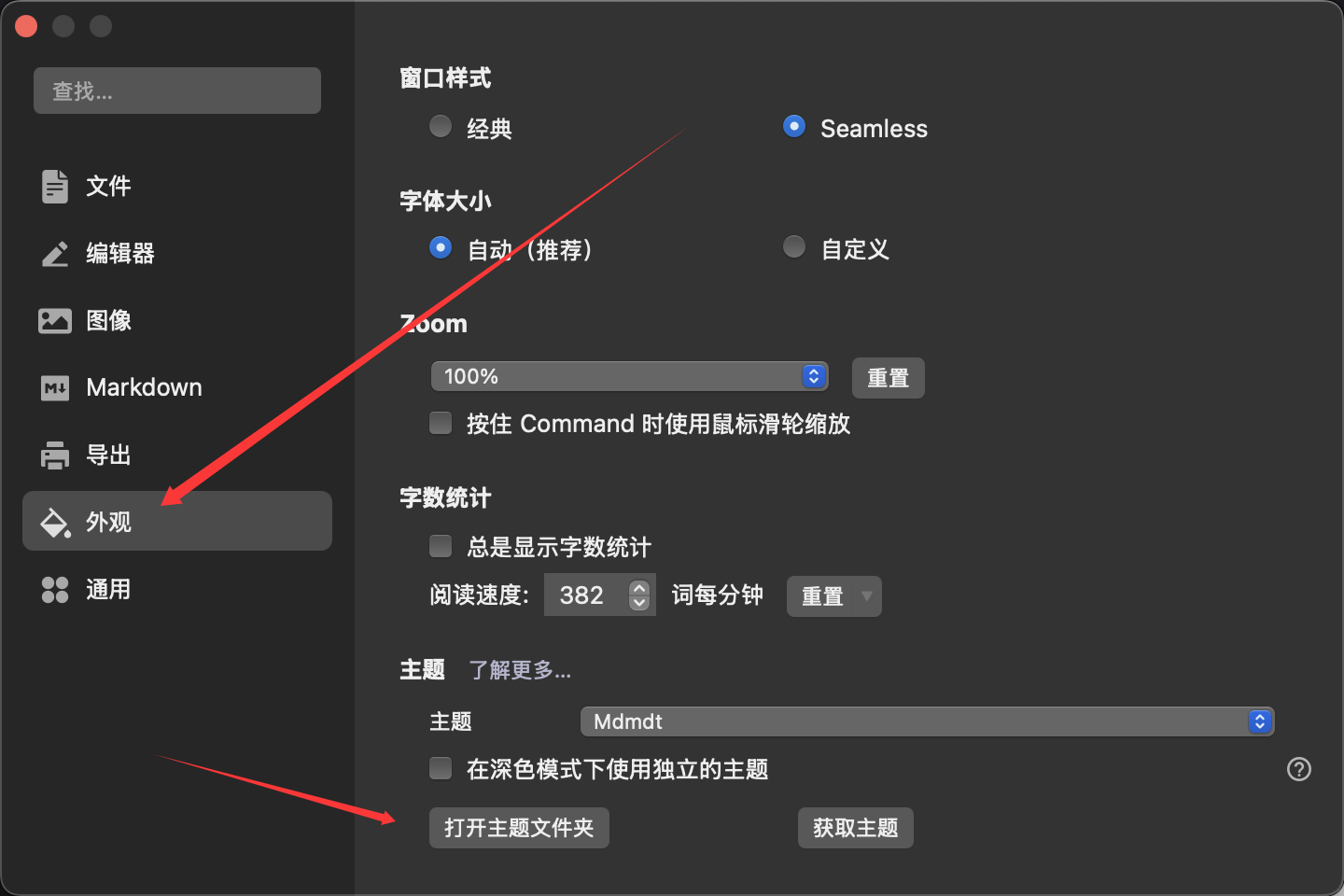
Installation Steps:
- Download theme files from GitHub
- Open Typora preferences
- Click “Open Theme Folder”
- Copy the downloaded theme files to the folder
- Restart Typora and select the theme
⚠️ Note: Installation methods may vary slightly for different themes. Please carefully read the installation instructions provided by the author.
📝 Hexo Configuration & Publishing
Detailed Hexo Markdown Parameters
In Hexo, the front-matter (YAML configuration at the top of files) for each article supports various parameters. Here’s a complete parameter explanation:
| Configuration Option | Default Value | Description |
|---|---|---|
title |
Markdown file title | Article title, strongly recommended to fill this option |
date |
File creation time | Publication time, recommended to fill and ensure global uniqueness |
author |
author in root _config.yml | Article author, can override global settings |
img |
A value from featureImages | Article feature image, recommend using image hosting service |
top |
false |
Recommended article, set to true to pin article |
cover |
false |
Carousel cover, whether to add to homepage carousel |
coverImg |
None | Carousel image, image path displayed in homepage carousel |
password |
None | Reading password, requires SHA256 encryption |
toc |
true |
Table of contents switch, whether to show article TOC |
mathjax |
false |
Math formulas, whether to support LaTeX formulas |
summary |
None | Article summary, custom summary content |
categories |
None | Article categories, recommend one category per article |
tags |
None | Article tags, one article can have multiple tags |
keywords |
Article title | Keywords, used for SEO optimization |
reprintPolicy |
cc_by |
Reprint rules, copyright declaration type |
Complete Configuration Example
Here’s a complete example including all parameters:
1 |
|
Create New Article
Use Hexo commands to create new articles:
1 | # Create new article |
Custom Article Template
The default article template is quite simple. We can customize the template by modifying blog/scaffolds/post.md:
Original template:
1 |
|
Recommended enhanced template:
1 |
|
⚠️ Important Reminder:
- YAML syntax requires a space after the colon:
key: value - Empty values must use quotes:
cover: "" - Arrays can use
[]or multi-line format - Cannot leave empty values, otherwise parsing errors occur
Image Processing Best Practices
I use Typora combined with uPic for automatic image upload:
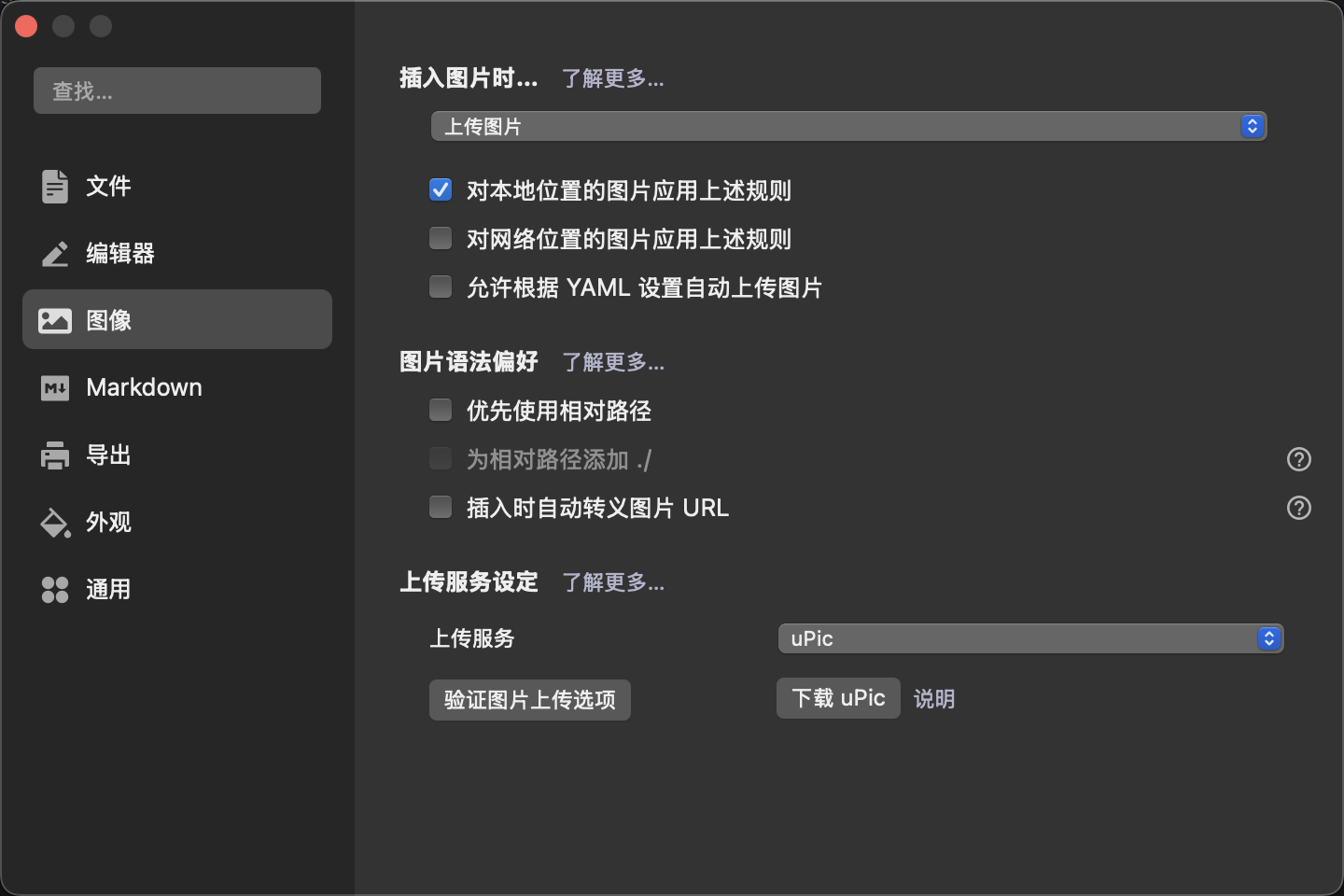
Configuration Steps:
- Install uPic image hosting tool
- Configure GitHub as image hosting service
- Set up automatic upload in Typora
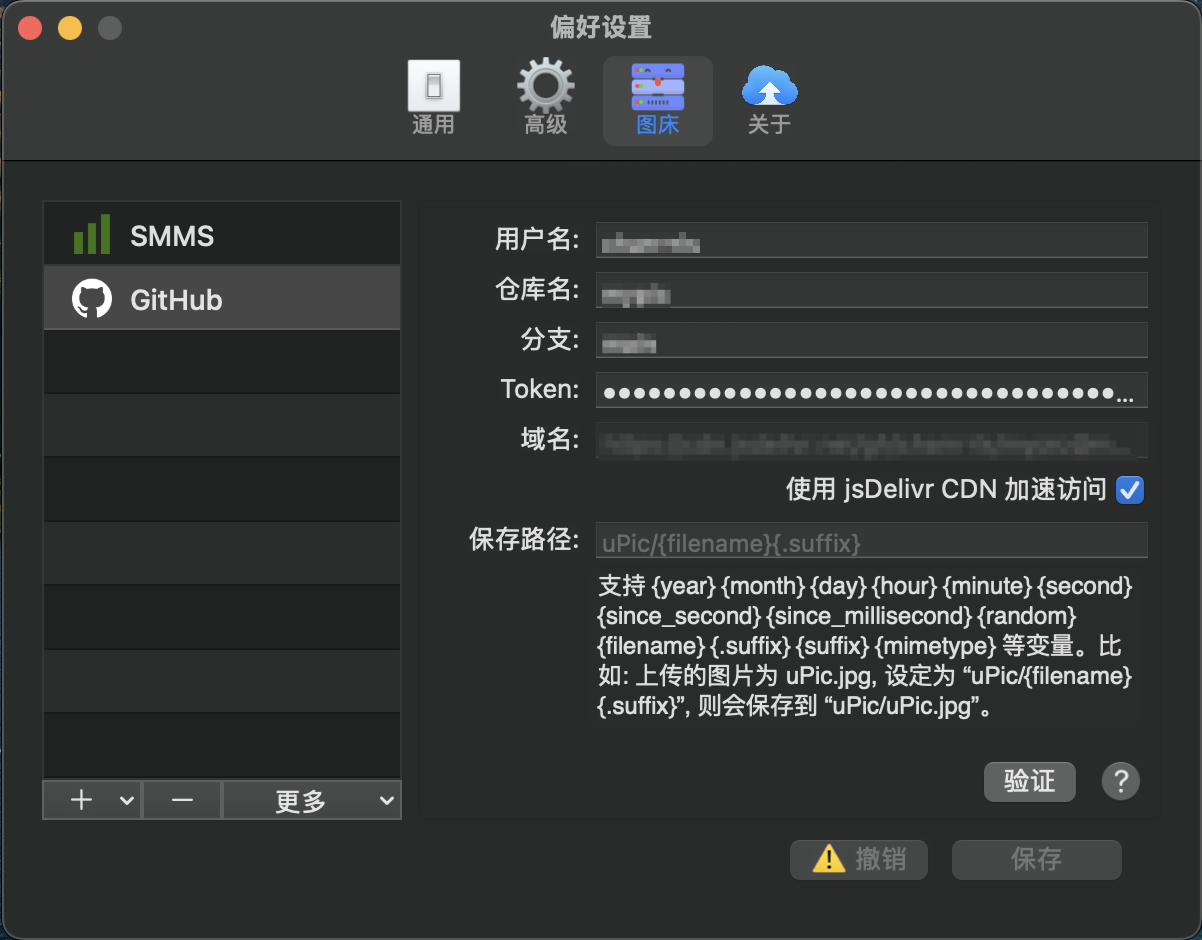
Advantages:
- ✅ Automatic upload, no manual processing needed
- ✅ CDN acceleration, fast access speed
- ✅ Version control, image backup available
- ✅ Cross-platform sync, write anywhere anytime
🎯 Writing Workflow Summary
Environment Setup
- Install and configure Typora
- Set favorite theme
- Configure automatic image upload
Create Article
1
hexo new "Article Title"
Write Content
- Open md file with Typora
- Complete front-matter configuration
- Write article content
- Insert images (auto-upload)
Preview and Publish
1
2
3
4hexo clean # Clean cache
hexo generate # Generate static files
hexo server # Local preview
hexo deploy # Deploy and publish
💡 Summary
The Hexo + Typora combination has the following advantages:
- 🚀 Efficient Writing: WYSIWYG editing experience
- 🎨 Beautiful Interface: Clean and elegant design style
- 🖼️ Image Convenience: Auto-upload, no manual processing needed
- ⚡ Quick Publishing: One-click static blog generation
- 🔧 Highly Customizable: Rich theme and plugin ecosystem
This toolchain is perfect for technical blog writing and highly recommended for all bloggers! ✨